
- Access it from anywhere — No local server required.
- Share with others — Let anyone use your MCP server.
- Monetize — In the future, earn revenue sharing when others use your server.
1
Go to Dashboard
Go to dedaluslabs.ai and click Dashboard.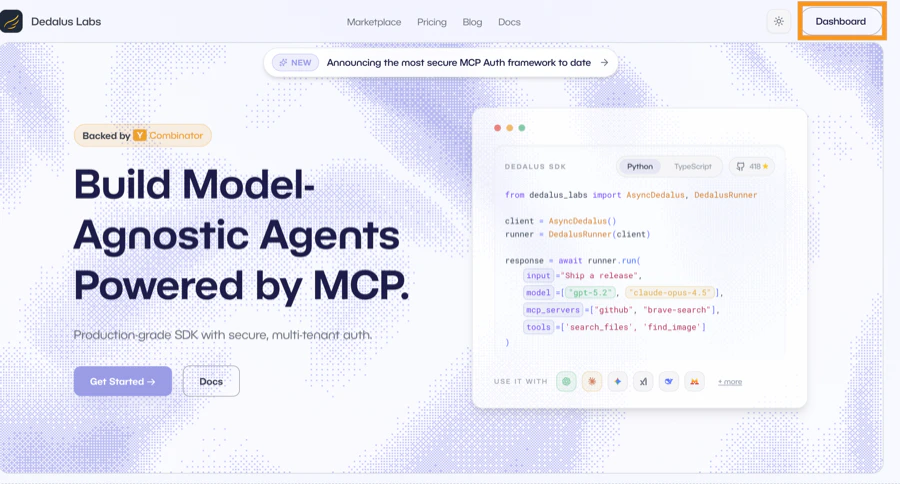
2
Add Server
Click 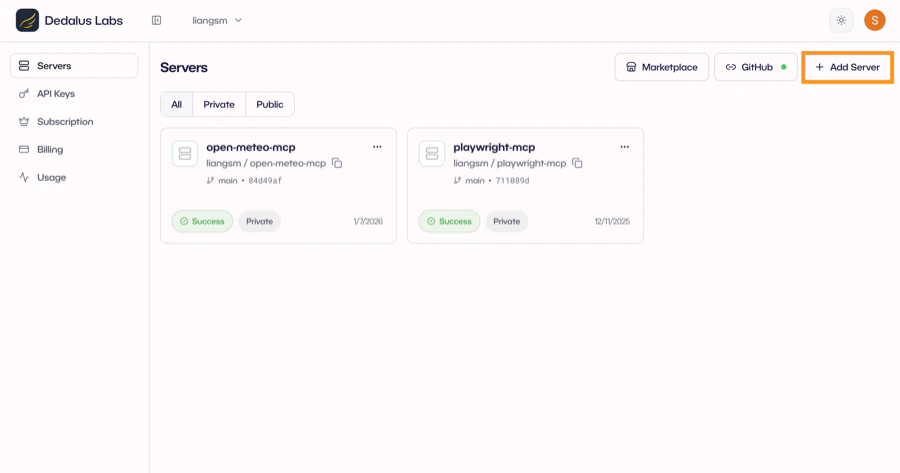
Add Server to create a new deployment.3
Connect Repository
Select your GitHub repository. Dedalus pulls from your repo on each deploy.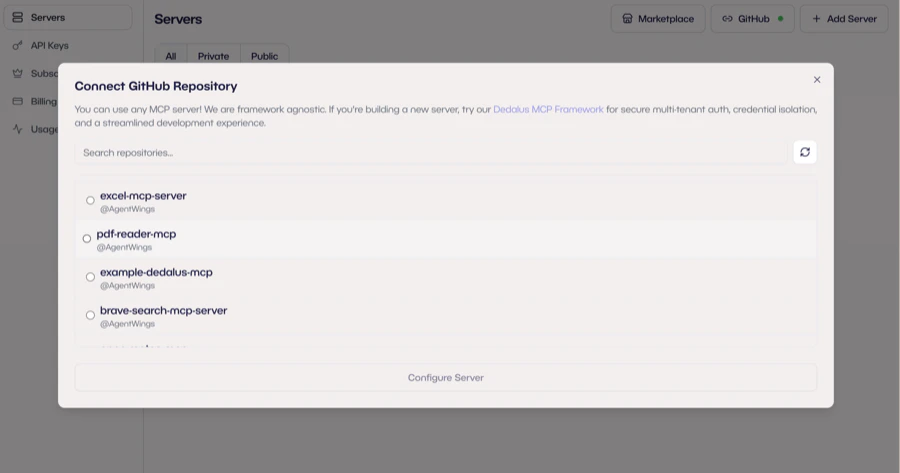
4
Configure & Deploy
Configure your server: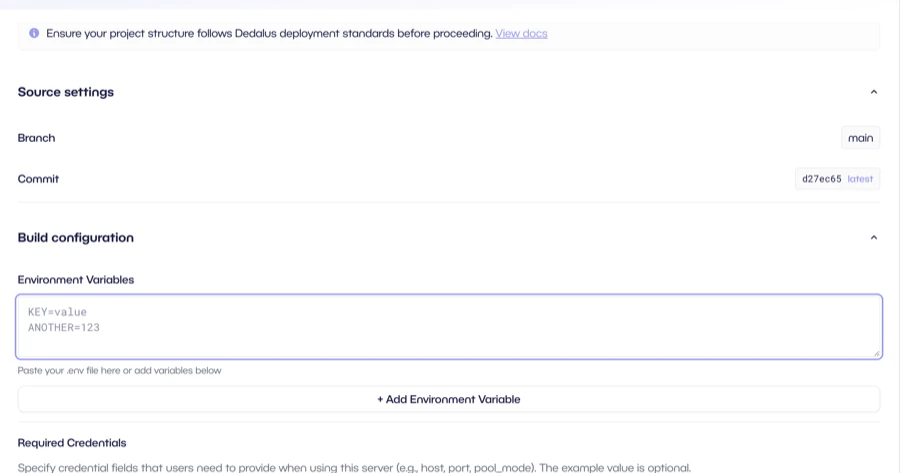
- Environment Variables: Your API keys (e.g.,
OPENAI_API_KEY). Encrypted and only accessible to your server. - Required Credentials: Fields users must provide (e.g., Supabase key, X API key). Users supply their own credentials at runtime.
Deploy when ready.5
Publish to Marketplace
Once deployed, click 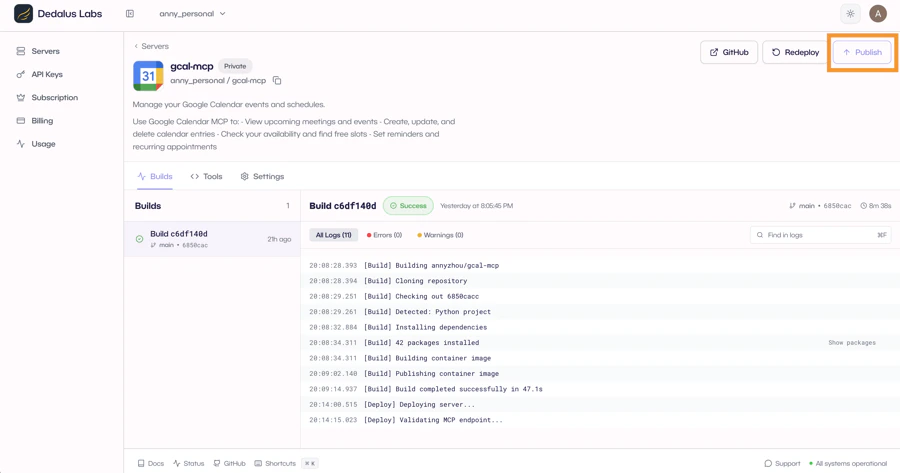
Publish to list your server on the Dedalus MCP marketplace. In the future, when others use your server, you earn revenue sharing on every API call.Tips
Server structure
Server structure
Your repository should follow this structure:You can define tools directly in
main.py or split them into a tools/ folder for larger servers.OAuth servers: names must match your slug
OAuth servers: names must match your slug
For OAuth servers, the
name parameter in Connection("my-server", ...) must match your
deployment slug exactly (not including the org prefix). Same applies to
ctx.dispatch("my-server"). This ensures OAuth callbacks route correctly.Environment variables vs required credentials
Environment variables vs required credentials
Environment Variables are your secrets (e.g.,
OPENAI_API_KEY). They’re encrypted and only accessible to your server.Required Credentials are fields users must provide when connecting to your server (e.g., their own API keys). Users supply these at runtime.Build failures
Build failures
If your build fails, check the build logs in your dashboard. Common issues:
- Missing dependencies in
pyproject.toml - Environment variables not set