> ## Documentation Index
> Fetch the complete documentation index at: https://docs.dedaluslabs.ai/llms.txt
> Use this file to discover all available pages before exploring further.
# Deploy
> Host your MCP server and share it with others.
Deploy your server to the Dedalus platform. Once deployed, you can:
* **Access it from anywhere** — No local server required.
* **Share with others** — Let anyone use your MCP server.
* **Monetize** — In the future, earn revenue sharing when others use your server.
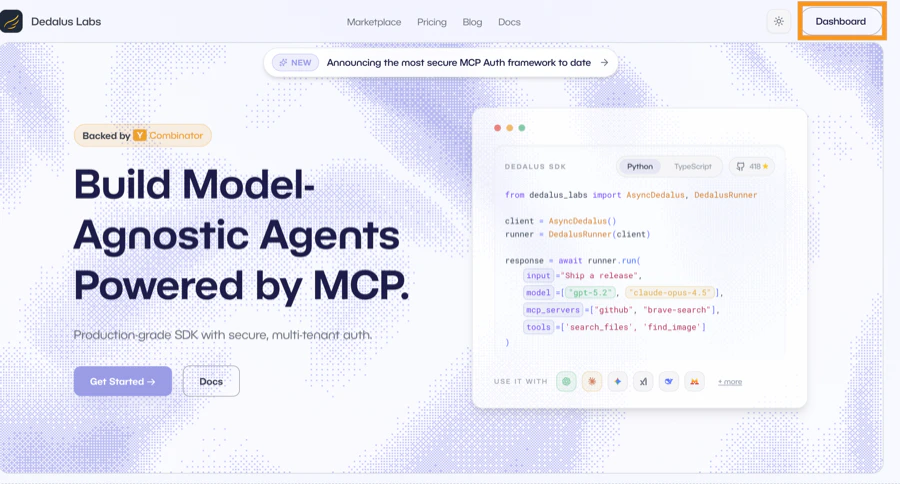
Go to [dedaluslabs.ai](https://dedaluslabs.ai) and click **Dashboard**.
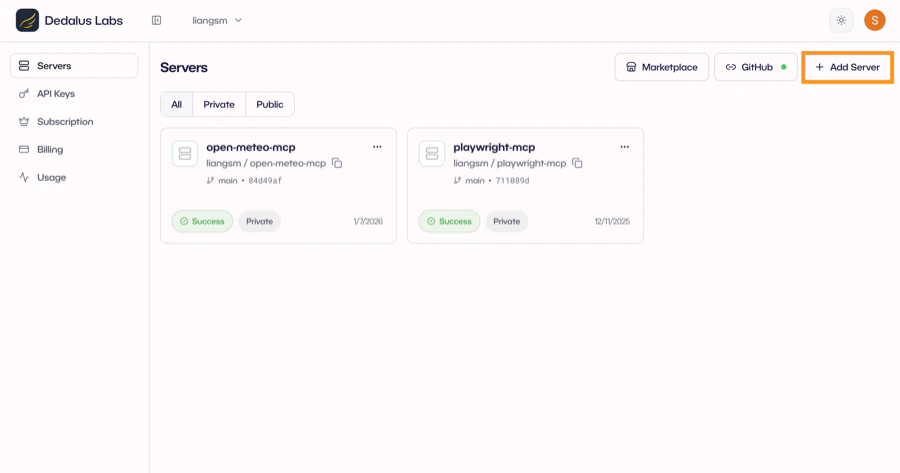
 Click `Add Server` to create a new deployment.
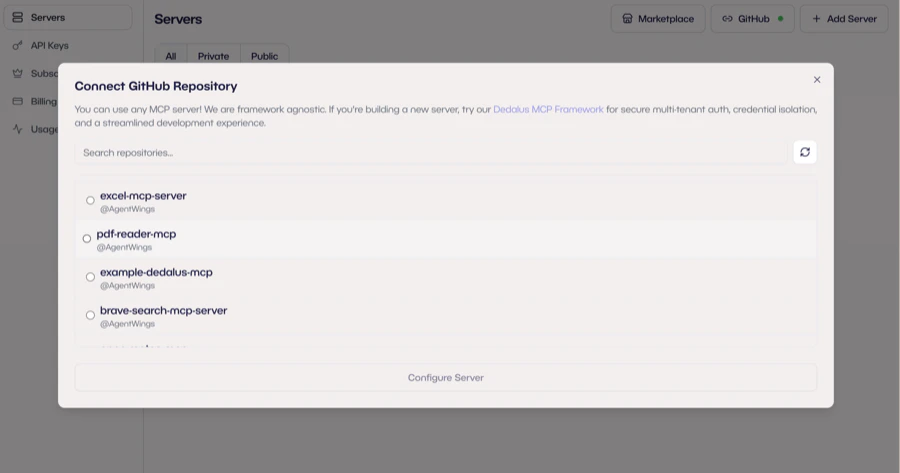
 Select your GitHub repository. Dedalus pulls from your repo on each deploy.
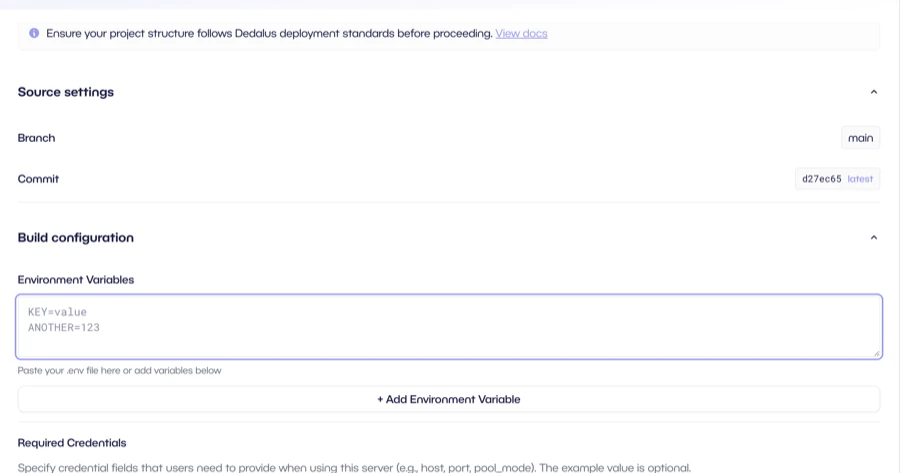
 Configure your server:
* **Environment Variables**: Your API keys (e.g., `OPENAI_API_KEY`). Encrypted and only accessible to your server.
* **Required Credentials**: Fields users must provide (e.g., Supabase key, X API key). Users supply their own credentials at runtime.
Click `Deploy` when ready.
Configure your server:
* **Environment Variables**: Your API keys (e.g., `OPENAI_API_KEY`). Encrypted and only accessible to your server.
* **Required Credentials**: Fields users must provide (e.g., Supabase key, X API key). Users supply their own credentials at runtime.
Click `Deploy` when ready.
 Once deployed, click `Publish` to list your server on the Dedalus MCP marketplace. In the future, when others use your server, you earn revenue sharing on every API call.
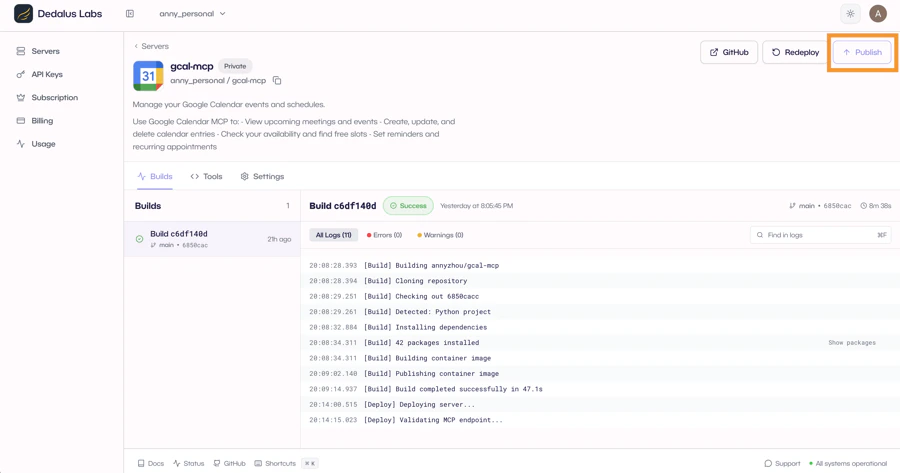 Your server is now live. Use your slug in the Dedalus SDK:
```python theme={"theme":{"light":"github-light","dark":"github-dark"}}
mcp_servers=["your-org/your-server"]
```
Pro users get a server URL to add your server to Cursor, Claude, or any MCP client in one click.
## Tips
Your repository should follow this structure:
```
my-server/
├── main.py # Required: server entry point
├── pyproject.toml # Required: dependencies
├── tools/ # Optional: organize tools in a folder
│ ├── __init__.py
│ ├── search.py
│ └── fetch.py
└── ...
```
You can define tools directly in `main.py` or split them into a `tools/` folder for larger servers.
For OAuth servers, the `name` parameter in `Connection("my-server", ...)` must match your
deployment slug exactly (not including the org prefix). Same applies to
`ctx.dispatch("my-server")`. This ensures OAuth callbacks route correctly.
**Environment Variables** are your secrets (e.g., `OPENAI_API_KEY`). They're encrypted and only accessible to your server.
**Required Credentials** are fields users must provide when connecting to your server (e.g., their own API keys). Users supply these at runtime.
If your build fails, check the build logs in your dashboard. Common issues:
* Missing dependencies in `pyproject.toml`
* Environment variables not set
Your server is now live. Use your slug in the Dedalus SDK:
```python theme={"theme":{"light":"github-light","dark":"github-dark"}}
mcp_servers=["your-org/your-server"]
```
Pro users get a server URL to add your server to Cursor, Claude, or any MCP client in one click.
## Tips
Your repository should follow this structure:
```
my-server/
├── main.py # Required: server entry point
├── pyproject.toml # Required: dependencies
├── tools/ # Optional: organize tools in a folder
│ ├── __init__.py
│ ├── search.py
│ └── fetch.py
└── ...
```
You can define tools directly in `main.py` or split them into a `tools/` folder for larger servers.
For OAuth servers, the `name` parameter in `Connection("my-server", ...)` must match your
deployment slug exactly (not including the org prefix). Same applies to
`ctx.dispatch("my-server")`. This ensures OAuth callbacks route correctly.
**Environment Variables** are your secrets (e.g., `OPENAI_API_KEY`). They're encrypted and only accessible to your server.
**Required Credentials** are fields users must provide when connecting to your server (e.g., their own API keys). Users supply these at runtime.
If your build fails, check the build logs in your dashboard. Common issues:
* Missing dependencies in `pyproject.toml`
* Environment variables not set